HWS Connect has two pages about players: Online Players shows who is in game right now, and Player Stats is your own character sheet.
 Online Players
 HWS Connect → HWS Community → Online Players (NA players:
/rn/online)
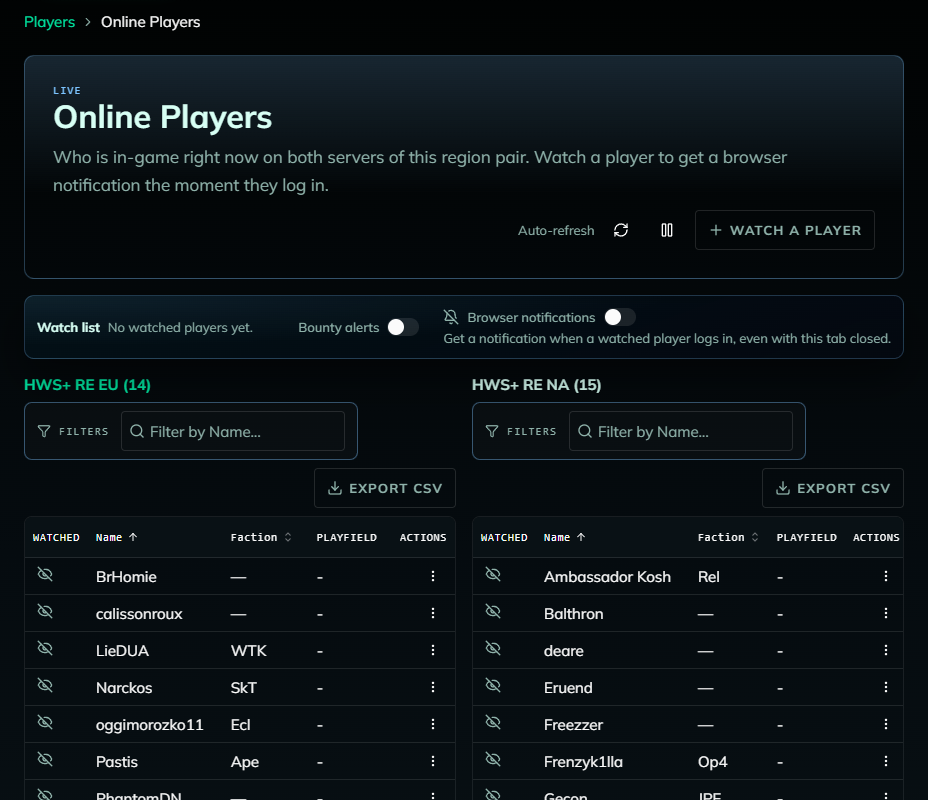
- One table per server of your pair (HWS+ RE EU and HWS+ RE NA), the server you are viewing comes first
- Name, faction and actions. Online Players never shows where a player is; for Wanted players, see the Hunter Board
- A gold crosshair next to a name means that player has a bounty. Click it to jump to the Hunter Board
- Sort, filter by name and export the tables. The list refreshes every 30 seconds (pause or refresh with the controls)
- Viewing the list needs no login
The data can lag up to about a minute, so a player who just logged in may take a moment to appear.
 Watch list (HWS Survivor+)
Get a notification the moment a player logs in:
- Click Watch a player and enter the exact name, or click the eye in a player’s row
- Watched players appear as chips in the Watch list panel. Click a chip to stop watching
- Turn on Browser notifications to get notified even with the tab closed
- Your watch list is saved to your account and shared with the Hunter Board and Settings → Players (up to 100 players)
 Bounty alerts (free)
Turn on Bounty alerts to get notified whenever a player with a bounty on their head logs in.
 Interaction Menu
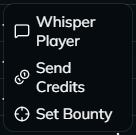
Click the ⋯ menu of an online player:
| Action | What it does | Tier |
|---|---|---|
 Whisper Player |
Sends a private in-game whisper (same as cb:w:Name:Message) |
HWS Survivor+ |
 Send Credits |
Sends Elemental Bank credits (same as eb:send:Name:Amount). More info in the Elemental Bank guide |
HWS Survivor+ |
| Set Bounty |
Places a bounty on the player. It then shows on the Hunter Board | everyone |
- You must be signed in. Amounts: 1 to 1,000,000,000 credits. Whispers: up to 256 characters
- In-game names are case sensitive. Names can’t contain “:”
 Player Stats
HWS Connect → Player Info → Player Stats
Your own character sheet on that server:
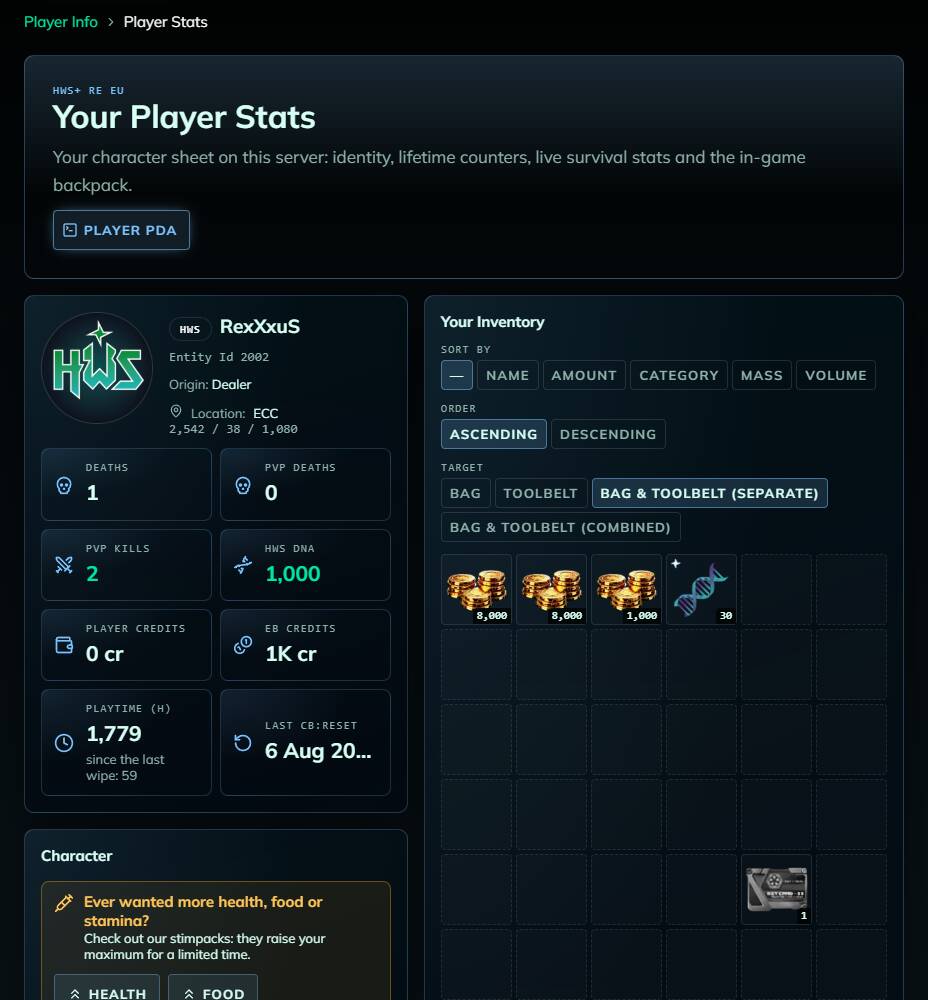
- Faction, name, Entity Id, Origin and location (links to the playfield on the HWS Universe map)
- Deaths, PvP deaths, PvP kills, HWS DNA, player credits, EB credits, playtime (hover for the hours since the last wipe) and the date of your last
cb:reset - Character bars: health, food, stamina, oxygen, body temperature and radiation. Health, food and stamina show how base value, skills and survival add up
- Your Inventory: a read-only view of your backpack and toolbelt with sorting. “Not live · stored …” means you see the last stored state (e.g. because you are offline)
- The Player PDA button sends common commands for you: starter ship spawn,
cb:info,cb:time, whisper,o:info,o:supplyandcb:reset(asks for confirmation, it wipes everything you have on that server!)
 Stimpacks
Want more health, food or stamina? Stimpacks raise your maximum of a stat for a limited time. Click Health, Food or Stamina in the Character panel to see the offers:
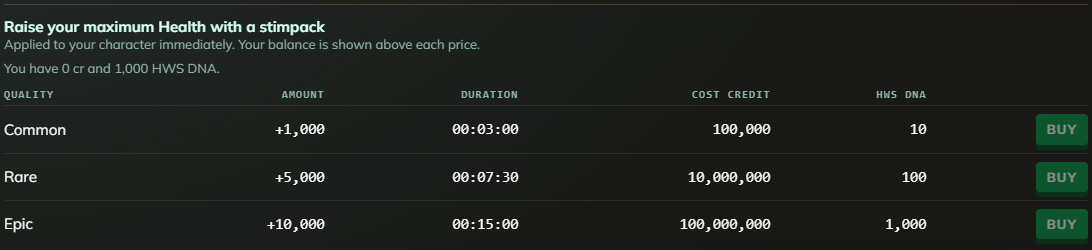
- Paid with credits and HWS DNA, applied to your character immediately
- Prices, amounts and durations can differ per server and change over time. The page always shows the current ones
 Common Questions
- “That feature is a Patreon perk.”: watching players, whispering and sending credits need HWS Survivor+.
- No login notification? Keep the page open or turn on Browser notifications, and allow notifications for the site in your browser. Only logins after the page loaded are announced.
- “The HWS online list is unavailable”: the data source didn’t answer. Empty tables then mean “unknown”, not “nobody online”.
- PvP kills differ from the Kill Board? Player Stats shows your own counters. The Kill Board shows the season’s top 10.