======= NOTICE FOR HELP =======
What happened?
=> Some CV engines not working and unable to open them in equipment list.
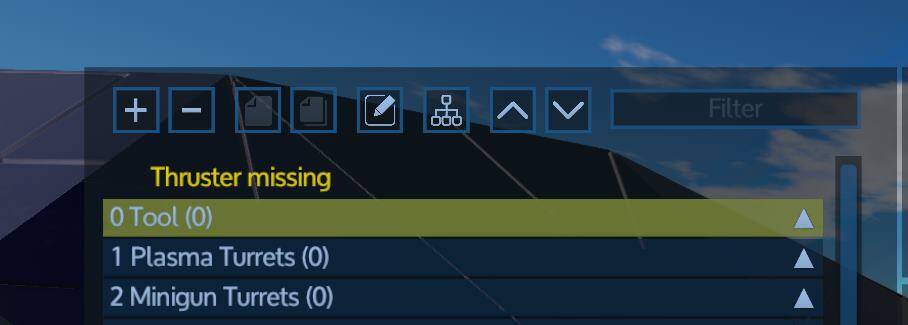
Build new CV from factory blueprint. In RE creative scenario I tested that it works fine. In HWS, only engines facing rear and down are working, left, right, up and forward are not. When I try to open their list in Devices panel, these thruster list do not open, and generally the number of thrusters listed is different to thrusters disabled. For example group Thruster (10) but when opened shows only 2 large thrusters and 1 small.
Player(s) with issue? (steam name)
=> BunnyOverkill
Server? (EU or NA or RE)
=> RE
When did it happen? (Use server time: type ingame cb:time)
=> March 20, 2021, 9:40
On which Playfield?
=> Epsilon system, but persist through warp and system change.
**[color=d0901d]Structure Name(s)
HMS Ranseur-2
Structure ID(s) (Open ingame console and type di)?
=> 4719612
How can we help you now?
=> FInd out what is wrong and what can I do for fix.
In debug console I noticed this error when I connect to server:
IdMapping: no name for id ThrusterMSRoundLarge found! Skipping
Not sure it’s relevant.
Also, I have taken apart the ship in creative mode and it seems some engines are encased, as in other blocks blocking their thrust, maybe that is what causes problems even though I got no warning that some engines are blocked.
I tried opening the space where they should be - on HWS server, not in creative mode - and the space where in RE creative mode there are engines is now empty
It’s because the RE Scenario got an update in the workshop and I have not applied it on HWS RE yet.
This has a potential risk of errors but I can give it a try at 6pm.
OK so what can I do now, wait?
yes. Try again after the 6pm server restart. Then this MS Round Thruster for CVs is available on HWS RE
Tested, still same problem. What now? Reclaim the ship somehow, modify in RE creator and then spawn again?
EDIT: I no longer see error in console log “IdMapping: no name for id ThrusterMSRoundLarge found! Skipping” .
Well, then it tells you that the item / block is available in the game but your blueprint has a different ID stored.
It’s because of the dynamic ID mapping. very very bad in terms of situations like that.
There are couple of options available now. Depends on your time and skill level.
Easiest would be to recycle your ship with the invisible Thruster in HWS RE and place the new correct thruster on the ship.
OK how can I recycle the ship? I know there is a way to do that but I am new on server can haven’t found it yet. Also I have read it has several “levels” and how much resources you get back depends on it.
I redownloaded the current version of RE from the workshop and checked your ship.
There is no Thruster there either. So forget what I said, not even sure what happened here 
Best to empty your container and then dismantle it with Multi Tool and spawn fresh?
OK, thanks. In my RE creative the engines are there, I was looking at them. Seems like the blueprint is damaged. When I look at resources they are much lower then the ones from version with incorrect engines.
So, do I have to change those engines in creative mode somehow or next spawn will work?
the question is what version you are using.
As I said it becomes very difficult now, with the dynamic ID mapping.
Best to redownload this one:
And then check your bp. If it worked there, it should work in HWS RE too. Hopefully
OK, I finally spawned the ship again, thrusters are working. Case closed.