The Structure Commander on HWS Connect lists every base and ship you own on a server, privately or through your faction, with information the game doesn’t show you, above all the 30-day inactivity wipe timer. With Manage you can send rescue, home, insurance, recycle and sell commands to the game without typing them.
 HWS Connect → Structure Commander (NA players:
/rn/structures)
 What You See
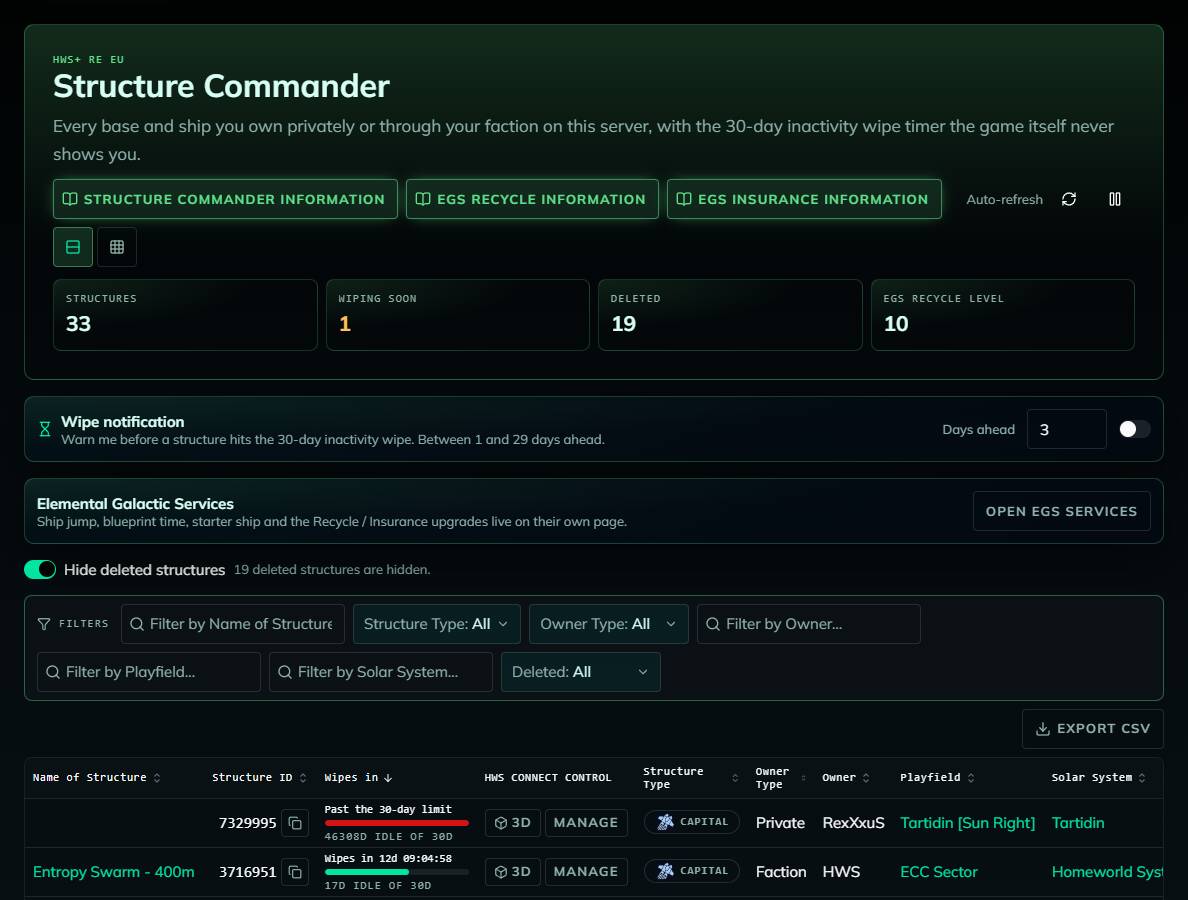
The header shows your number of Structures, how many are Wiping soon (idle 20+ days), how many are Deleted, and your EGS Recycle level.
| Column | Meaning |
|---|---|
| Name of Structure | Opens the structure in the 3D Structure Viewer |
| Structure ID | With a copy button. Always give this ID when you contact admins about a base or vessel |
| Wipes in | Time left until the inactivity wipe (see below) |
| HWS Connect Control | 3D preview and Manage |
| Structure / Owner Type, Owner | Base or ship type, Faction or Private |
| Playfield, Solar System | Where it is. Click to open it on the HWS Universe map. Misplaced a ship? Find a forgotten SV on ECC before it costs you taxes or gets wiped |
| Position, Last Warped, Last Touched | Coordinates, last warp, and how long it has been idle |
| Class, Powered, Block / Device Count, Lights, Triangles | Powered shows whether the generators are on |
- Sorted by default so the structure closest to its wipe comes first. Sort and export as CSV. The column filters are an HWS Pro+ feature
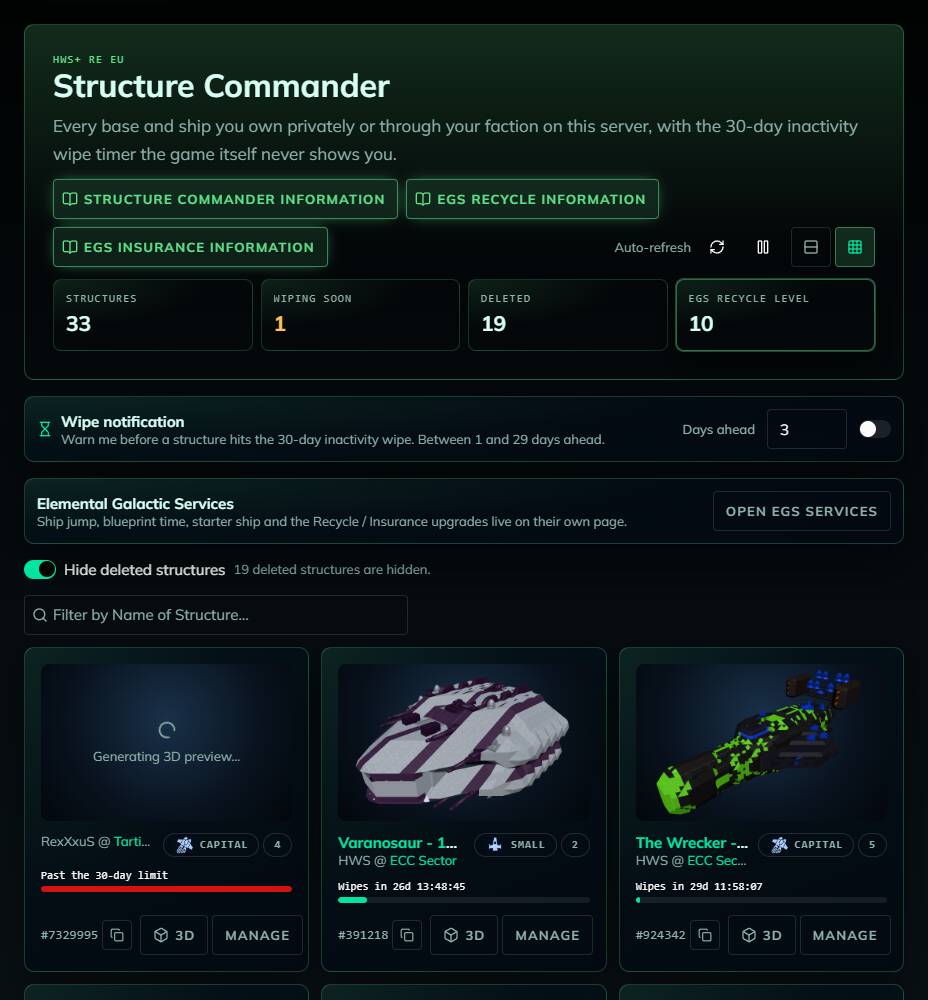
- Card view shows one card per structure with a 3D thumbnail and the wipe bar
- Deleted structures are hidden by default (switch “Show deleted structures”)
 The Wipe Timer
Structures that nobody visits for 30 days are wiped. Visiting the structure in game resets the timer.
 Green: idle less than 20 days
 Amber: idle 20 days or more, counts as “Wiping soon”
 Red: “Past the 30-day limit”, the wipe may already have happened
In game, cb:wipe and cb:NextWipe show your personal wipe timer.
 Wipe notification (HWS Pro+)
Turn on the Wipe notification on this page (or in Settings → Notifications) to get a browser notification 1–29 days (default 3) before one of your structures hits the 30-day wipe: “ will be wiped in 2d 4h — log in to reset the timer.” Needs HWS Pro+.
 Managing Structures
- Be online in game on that server
- Click Manage on the structure
- Click the action you want. Actions with input (Lock Code, price) have their own field and button
- “Sent to game => …” confirms the command was delivered. The game’s answer appears in your in-game chat
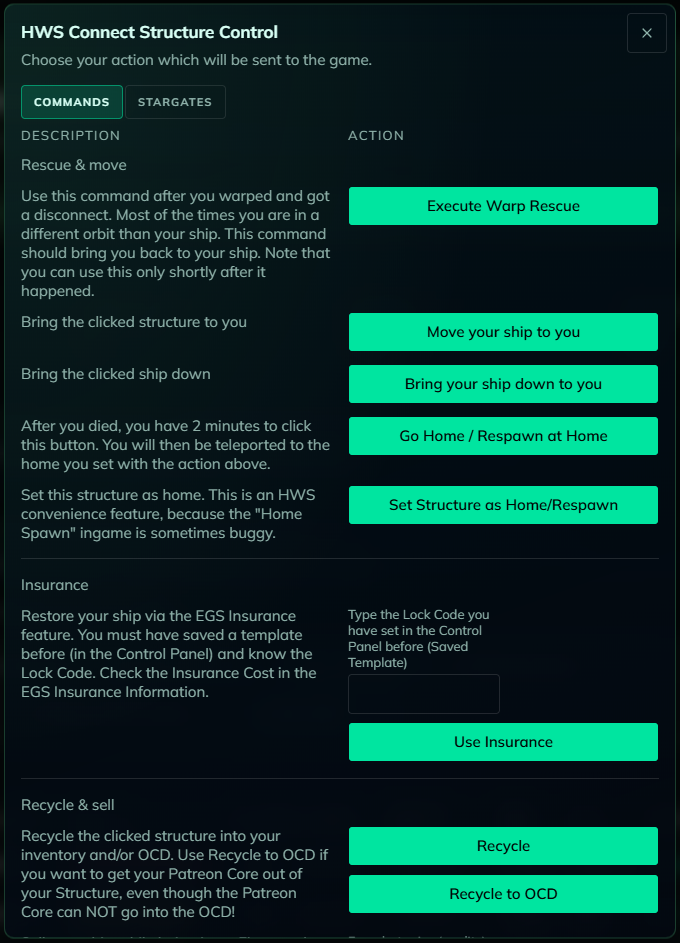
The Stargates tab of the same dialog links the Stargates you bought. See HWS Pair of PvE Stargates.
| Action | Command | Notes |
|---|---|---|
| Execute Warp Rescue | cb:warprescue:ID |
You warped, disconnected and ended up in a different orbit than your ship. Only shortly after it happened |
| Move your ship to you | cb:getshiphere:ID |
|
| Bring your ship down to you | cb:getshipdown:ID |
|
| Go Home / Respawn at Home | cb:gohome |
Within 2 minutes after you died |
| Set Structure as Home/Respawn | cb:sethome:ID |
Because the in-game “Home Spawn” is sometimes buggy |
| Use Insurance | egs:insurance:ID:LockCode |
Needs a saved template (Control Panel) and its Lock Code. See EGS Insurance |
| Recycle / Recycle to OCD | egs:recycle:ID / egs:recycleocd:ID |
Use Recycle to OCD to get your Patreon Core out (the core itself can’t go into the OCD). See EGS Recycle |
| Sell ship to Garage | ts:sell:price |
Only in an Elemental Garage Zone, acts on the ship you are in. See HWS Garage |
| Sell ship for credits | ts:sellcredits:ID |
PvE: Dealer Origin, Patron Master+, Master Origin or in a Trading Zone. PvP: only in a Trading Zone |
| Destroy your structure | cb:destroy:ID |
Asks for confirmation, can’t be undone |
| Stealth Ship | egs:stealth:on:ID |
See EGS Stealth |
Find a structure’s ID in the Structure ID column, on its card, or with
diin the in-game console.
The Open EGS services button leads to the Elemental Galactic Services page (ship jump, blueprint time, starter ship, Recycle / Insurance upgrades).
 Common Questions
- “No structures on this server”: nothing is registered to you on this server yet, or check the server selector.
- “Sent to game => …” but nothing happened: check that you were online on the right server and met the command’s in-game conditions (zone, Origin, Lock Code …).
- Why can’t I click Manage? The structure is already deleted.
- The 3D preview only works for your private structures and your faction’s.
Use the Structure Commander regularly to avoid losing structures to inactivity or taxes.