HWS Universe on HWS Connect is everything about places: a 3D galaxy map with route planner, your favourite playfields with personal notes, and the Registry of every system, playfield and POI you have discovered.
 HWS Connect → HWS Universe (NA players:
 /rn/universe)
Each server has its own map, favourites and registry. The map works without signing in, and you never need to be online in game.
Playfield and star names on many HWS Connect pages (Structure Commander, Garage, OAM, Proximity Log, Dashboard …) link straight into the map.
 Map: 3D Galaxy Explorer
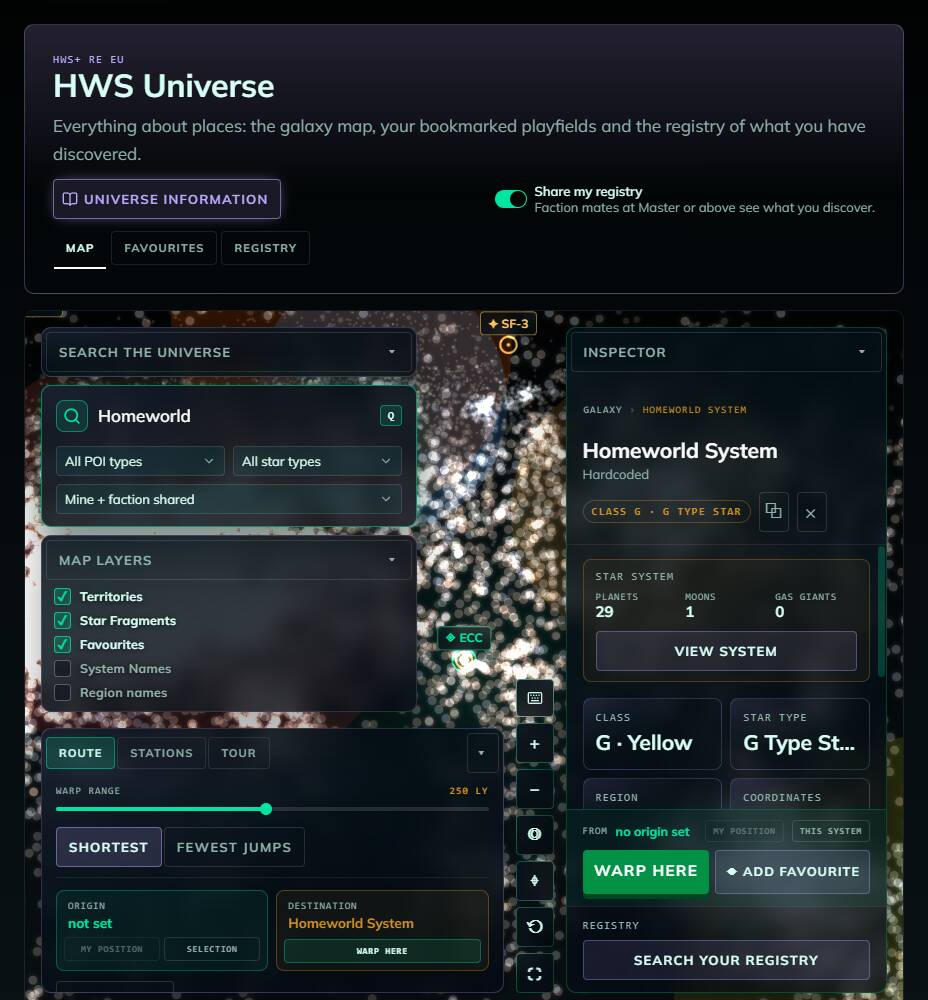
- Every star of the galaxy, coloured by star class. Map layers toggle faction Territories, Star Fragments, your Favourites, system and region names.
- Search systems, playfields, POIs and traders (press Q or /). Filter by faction, POI type, star type, and whether you see only your own surveys or also your faction’s.
- Click a star to open the Inspector: class, region, coordinates, its sectors/playfields (visited, shared by a faction mate, or unsurveyed) and their POIs. Right-click a star for Open, Warp here, Set as origin, Save as favourite.
- Controls: drag to orbit, shift-drag to pan, scroll to zoom. Keyboard: W/A/S/D fly, Space / C up/down, hold Shift for 3x speed.
- The selected star is kept in the page link, so you can copy the URL to share a location.
Stars you only know from long-range scans show their position, not their contents. Sectors appear once you warp in, or when a faction mate shares their survey with you.
System view
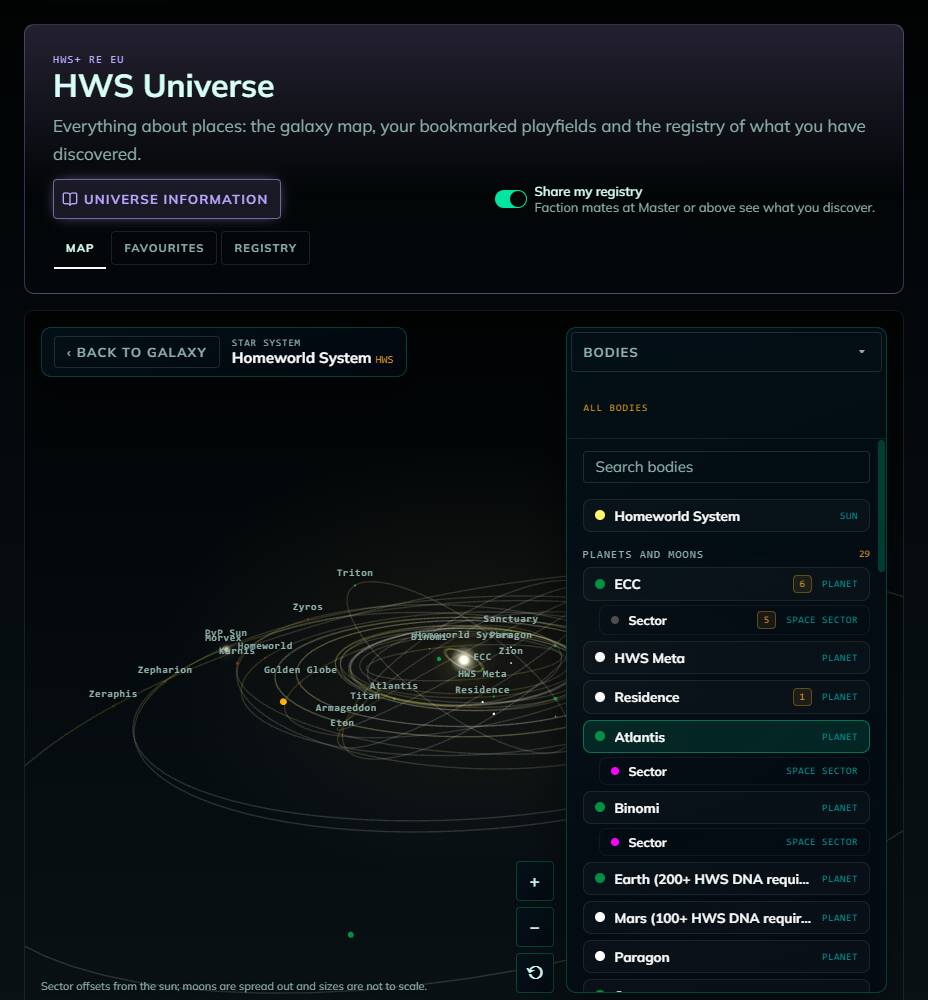
For any system a player has visited, View system draws its sun, planets, moons, stations and space sectors. Click a body for its parameters (class, gravity, temperatures, air, radiation, difficulty …) and your discovered POIs there.
Route planner, Stations, Tour
- Warp range: 15–500 LY (default 250 LY)
- Route: set an origin (Set origin / “This system”) and a destination (Warp here), choose Shortest or Fewest jumps. You get the jumps, total distance and longest leg. “Warp here” only plans a route. It doesn’t move your ship.
- Stations and Tour look for trading POIs and plan a multi-stop trade tour (saved tours stay in your browser)
Star Fragments
Signed in with Steam, the Star Fragments panel lists the fragments unlocked so far and whether you delivered them at the ECC. Their locations show up on the map. Server-wide progress is on the HWS Quests page.
 Favourite Playfields
Throughout the season you discover playfields, interesting POIs and traders. Favourites let you bookmark them with your own notes.
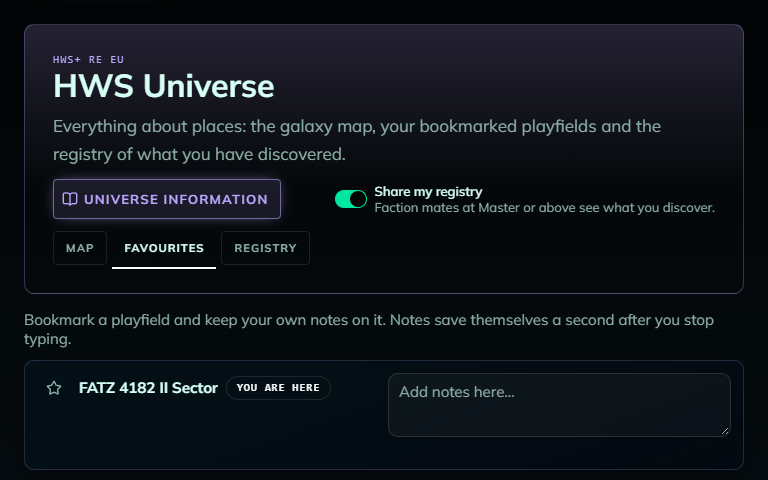
- Click the star icon to add or remove a favourite. Your current playfield is marked You are here.
- Type a note (max 2,000 characters). It saves itself a second after you stop typing, and writing a note also stars the playfield.
- Favourites are saved to your account per server and also show on the map. You can add them from the map too (Inspector “Add favourite” or right-click “Save as favourite”).
- Old favourites that were only stored in your browser can be imported with Import favourite….
 Registry: Everything You Discovered
The Registry shows every system, sector and POI you discovered, straight from the game database, plus what your faction mates share with you.
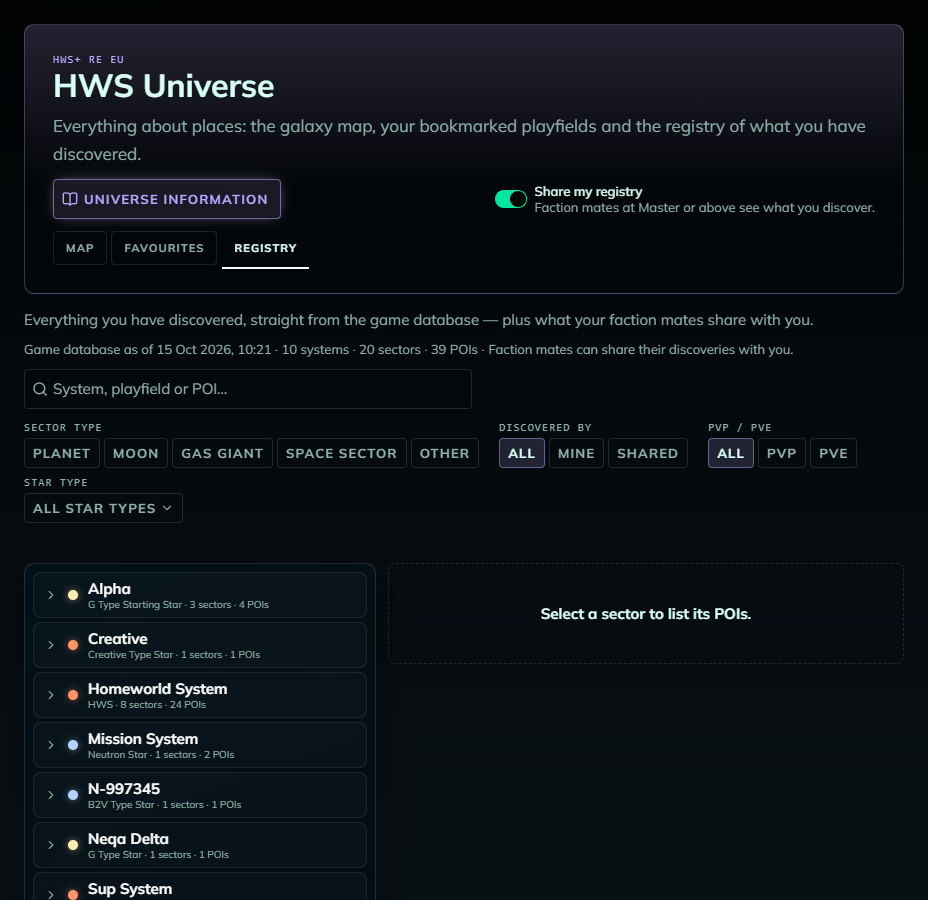
- Search by system, playfield or POI, filter by sector type, discovered by (mine / shared), PvP/PvE and star type
- Select a sector to list its POIs with type, owner and position
- The data refreshes about every 30 minutes
- Needs a Steam sign-in
Share with your faction
- Share my registry (switch at the top) is on by default and applies to all servers. It’s free.
- Seeing your faction mates’ discoveries needs HWS Master+. Only current members of your faction share with you.
 FAQ
FAQ
- “Nothing discovered yet”: the game database has no discoveries for you yet. Explore in game and come back later.
- “No route within X LY warp range”: raise the warp range to at least the shown minimum.
- I can’t see my friend’s discoveries: they must be in your current faction with sharing on, and you need HWS Master+.
- My saved tours / warp range are gone: they are stored only in your current browser.
- Favourites and notes may be deleted with a season wipe, because playfield names can change.