The Structure Viewer shows Empyrion structures in 3D right in your browser: your own blueprint files, POIs of the server, your live ships and bases, and HWS Garage ships. It also calculates size class, CPU, thrust, fuel and blueprint costs, and can turn a 3D model (STL, PLY, GLB or glTF) into a hull blueprint.
 HWS Connect → Tools → Structure Viewer (NA players:
 /rn/tools/structure-viewer)
 What You Can Open
- Your own blueprints: Import blueprint → File (.epb, .ebp, .yaml) or Folder (a blueprint folder with its picture), or just drop the file onto the page. Your files never leave your PC; they are kept in the Local library of your browser
- Your live structures: click 3D (or the name) of a ship or base in the Structure Commander. Works for your own and your faction’s structures
- HWS Garage ships: click 3D in the HWS Garage
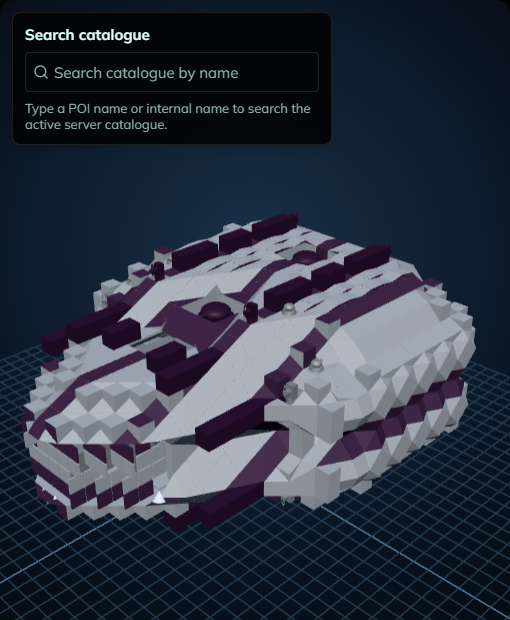
- Server POIs: Search catalogue by POI name (HWS Elite+), or Preview in 3D on a POI page of the Item Tracer
 What You See
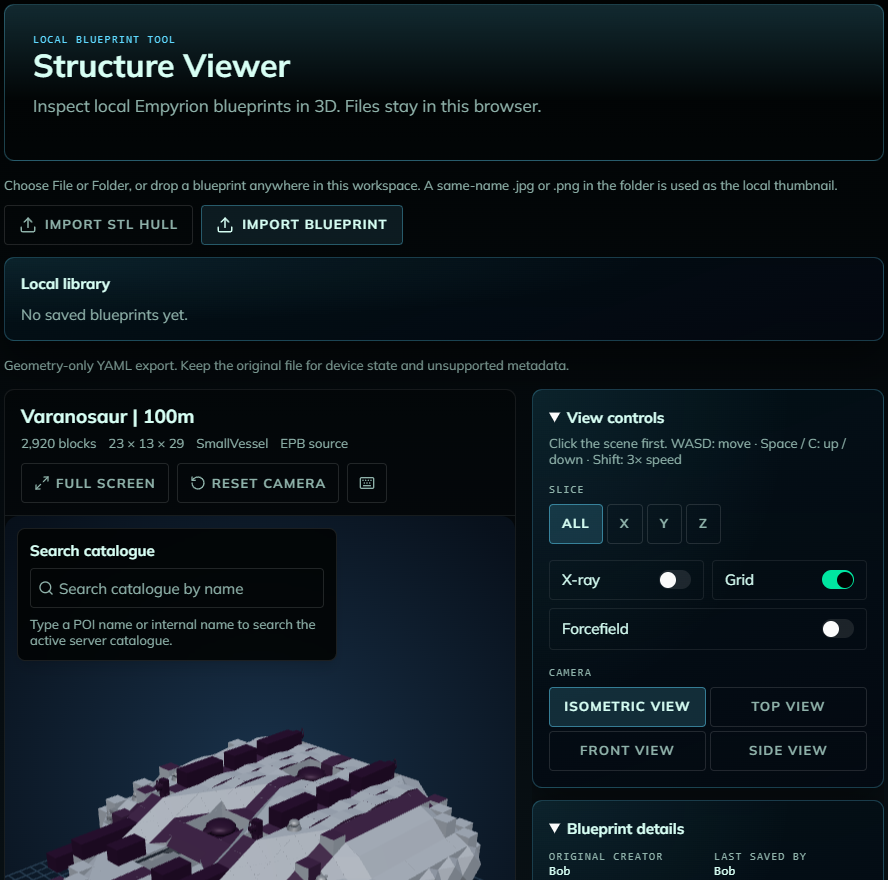
- The 3D model with real game textures, Slice (cut through X, Y or Z), X-ray, Grid, Forcefield and camera presets (isometric, top, front, side)
- Controls: drag to rotate, right-drag to pan, scroll to zoom; click the view and fly with W/A/S/D, Space / C up/down, Shift 3x faster
- Blueprint details: creator, game build, size class, devices, lights, triangles
- Structure properties (with the server’s rules): fuel, oxygen and pentaxid tanks, warp, CPU usage and efficiency, warp range, thrust, max takeoff G, turning power
- Block inventory: every block type with counts, search, Highlight and Hide (HWS Elite+)
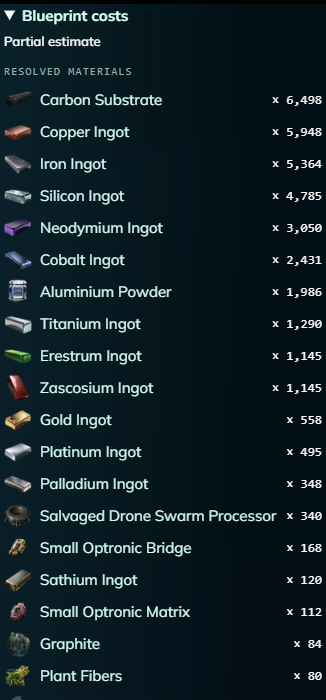
- Blueprint costs: the materials and components to build it, and the recipe work time (HWS Elite+)
 Calculators
- Class calculator: the size class from devices, lights and triangles, and what to remove to get one class lower
- Thrust calculator: max G from your downward thrusters and the mass (add cargo as Extra mass), and how many thrusters to add or remove for a target G
 3D Model Hull Import (HWS Master+)
Import 3D model hull turns a 3D model into a decorative hull blueprint for BA, CV, SV or HV: choose the size, orientation, fill mode (solid, hollow, surface), material, block shapes and colour, click Convert and preview, then save it to your library or download it as EPB/YAML. Add a core, power and flight devices in game before flying.
- Files: .stl, .ply, .glb or a .gltf with embedded data, up to 100 MB. Compressed meshes (Draco, meshopt) and .gltf files that reference separate files are refused: export the model as .glb instead
- Size: up to the game’s limit of 250 blocks per axis
- Block shapes: Fit hull shapes uses the slopes, corners, ramps, walls and other hull shapes the chosen material has. Shape set: All available (default), Basic (cube, half block, slope, corner), or pick the shapes yourself. Fitting quality: Draft, Balanced or Fine (default)
- Use model colours (on by default): a model with vertex colours, material colours or a colour texture paints the hull with up to 32 of its own colours. Turn it off to use one paint colour
- The model is converted on the HWS server: the dialog counts the seconds and you can cancel. One conversion per player at a time; one that takes longer than 2 minutes is stopped (try a smaller size or a simpler mesh). “The hull converter is busy right now”: try again in a minute
 Free vs. Patreon
| Free | 3D view of your own blueprint files, your own/faction live structures and Garage ships, blueprint details, structure properties, class and thrust calculators |
| HWS Elite+ | Block inventory, blueprint costs, catalogue search for server POIs |
| HWS Master+ | 3D model hull import |
A locked panel shows a blurred preview with a Locked button naming the tier (Patreon tiers).
 Common Questions
- “Structure #ID is not yours or your faction’s.”: you can only view your own and your faction’s structures (and Garage ships).
- “No blueprint backup exists yet for structure #ID.”: the server has no backup of that structure yet. Try again later.
- “Game textures and models … showing simplified shapes.”: the structure is still correct, only the look is simplified.
- “Unsupported EPB version …”: re-save the blueprint in a current game version.
- Limits: blueprint files up to about 250 MB, 3D model files up to 100 MB, hulls up to 250 blocks per axis (the game’s limit).
- The numbers are estimates from the server’s rules; container contents are not part of a blueprint.