The Orbital Auto Miner (OAM) is a custom HWS feature that mines resources for you, even while you are offline. You get one passive miner per ore. It helps late-game players focus on PvP and lets new players progress faster, without placing Tier 1–3 Auto Miners in game.
 Open it: HWS Connect → Orbital Auto Miner (NA players:
 /rn/oam)
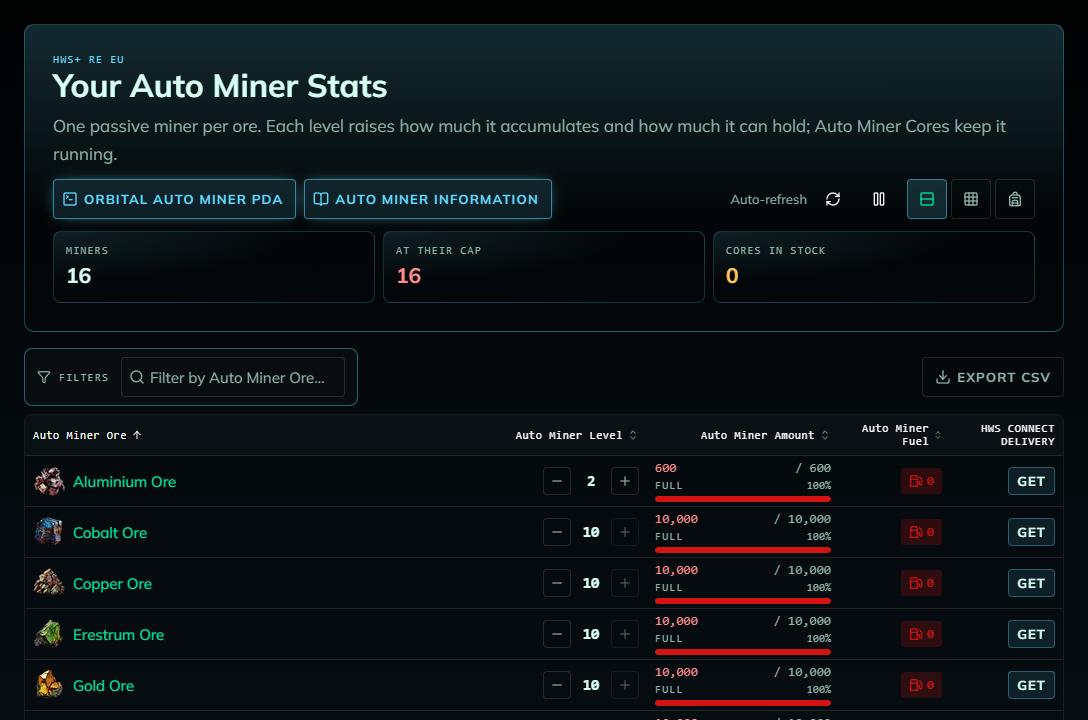
This video shows the previous HWS Connect. The screenshots in this guide show the current site.
 How It Works
- Every level raises how much a miner collects and how much it can hold (its cap). A full miner stops mining until you take its ore.
- Every miner needs fuel: 1 x AM Core
 per resource per day.
 - You take the ore into your in-game inventory, from HWS Connect or with the
am:getcommand. - Each server has its own miners.
 Resources You Can Mine
Iron, Copper, Cobalt, Silicon, Sathium, Promethium, Neodymium, Zascosium, Erestrum, Magnesium, Pentaxid, Gold, Titanium, Ice Block, Platinum, Aluminum, and Carbon (HWS+ only, not on the RE servers).
 OAM Levels & Caps
The maximum level is 10:
| Level | Cap |
|---|---|
| 1 | 300 |
| 2 | 600 |
| 3 | 900 |
| 4 | 1,200 |
| 5 | 1,700 |
| 6 | 2,500 |
| 7 | 3,500 |
| 8 | 5,000 |
| 9 | 7,000 |
| 10 | 10,000 |
Level prices are quoted in game when you buy or sell a level.
 Using the OAM on HWS Connect
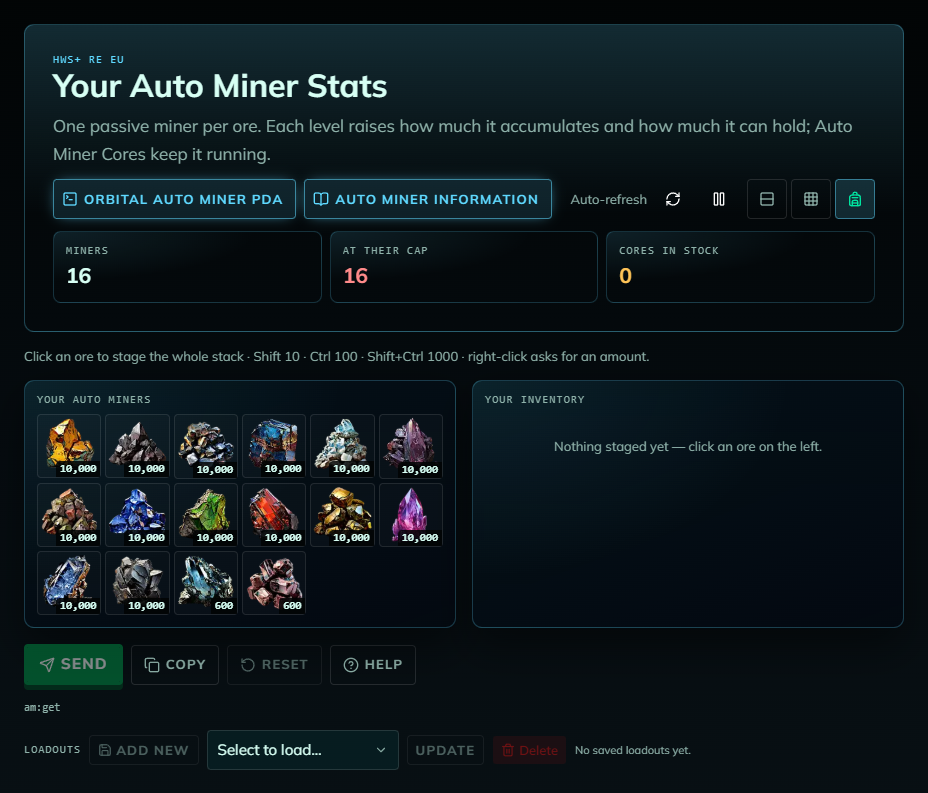
The header shows how many miners you have, how many are at their cap (red = at least one is full and has stopped mining) and your cores in stock. Every ore is listed, also the ones you don’t own a miner for yet (level 0), so you can buy their first level.
All OAM actions send commands to your character, so you must be online in game on that server. Make room in your inventory before taking ore.
Take ore
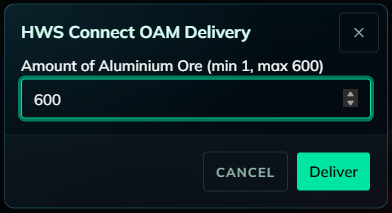
Click Get on an ore, check the amount and click Deliver. Get all at the bottom delivers everything at once.

Fuel your miners
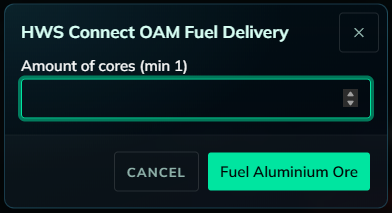
Click the fuel button of a miner (red = out of fuel), enter the number of cores and confirm. Fuel all fuels every miner with all your cores (or a number you type).
am:infoin game for the exact status).
Example: 3x Level 5 OAMs + 1x Level 10 OAM → 4 AM Cores per day.
Where to get AM Cores: found in POIs, bought from HWS Traders or on the HWS Marketplace, rewards in some PDA missions/quests.
Buy or sell levels
Use + to buy the next level and − to sell (downgrade) one level. A confirmation shows the new level and cap, and the price is quoted in game.
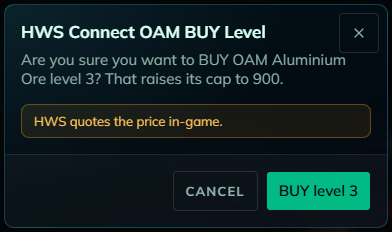
If you sell an OAM level, you get 1% of its original cost back.
Backpack view: one combined delivery
Click ores on the left to stage them (Shift = 10, Ctrl = 100, Shift+Ctrl = 1000, right-click = exact amount), then Send them in one command or Copy the command to paste it into game chat. Save staged lists as Loadouts (they are stored in this browser only).
 Retrieving Ore: EGS Zones
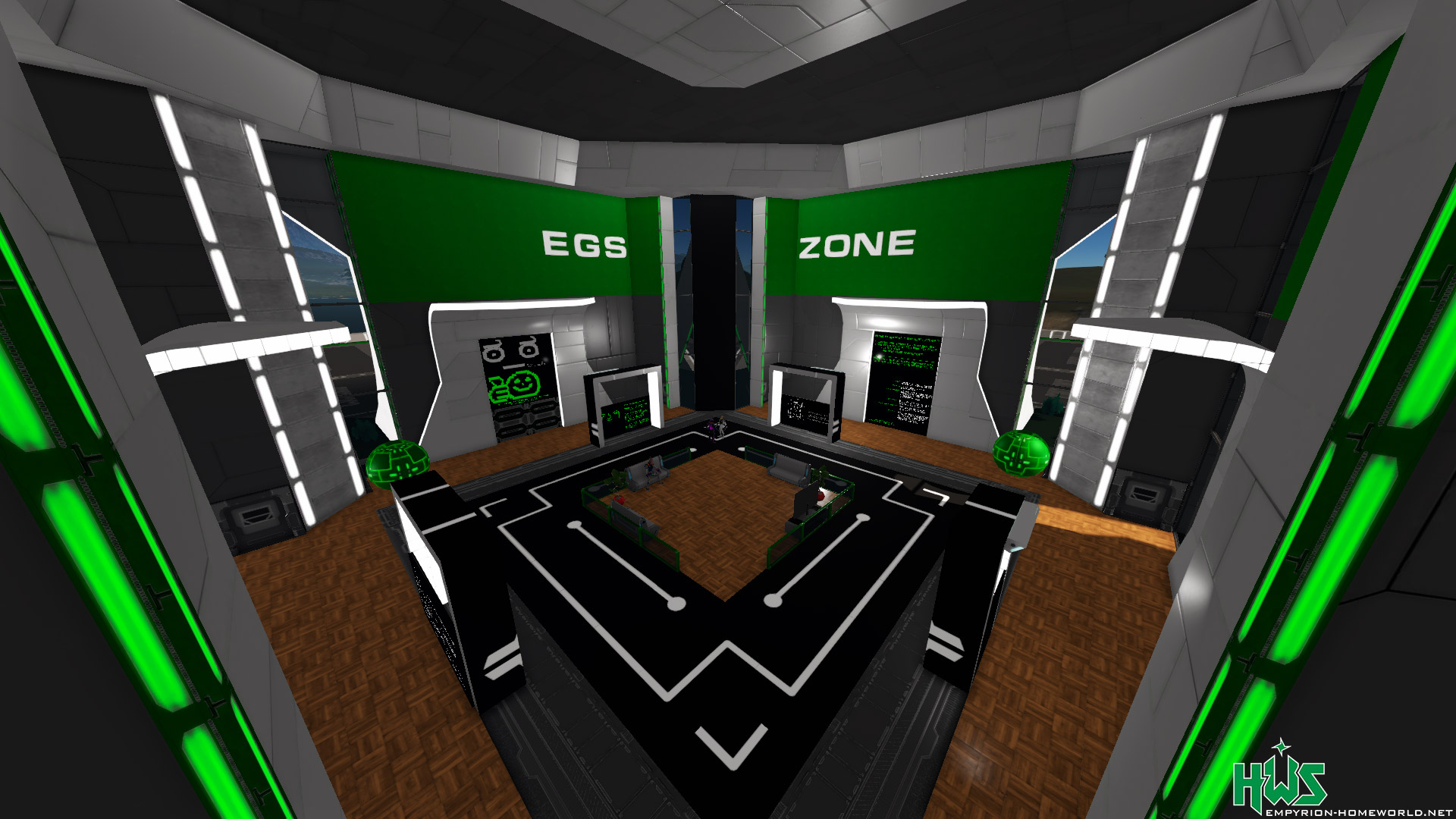
To retrieve ore for free, you must be inside an EGS Zone! The main EGS Zone is located in the ECC planet’s HQ lobby. Elsewhere a fee applies.
Look up at the ceiling in the ECC HQ main lobby to confirm you are in the EGS Zone:
- OAM overflow: when an OAM is full, its ore goes into your OCD automatically
- Automatic fueler: empty OAMs are refuelled with AM Cores automatically
- Move all ores of your OAM into your OCD manually
 OAM Commands
The website sends the same commands you can type in faction chat yourself:
| Command | What it does |
|---|---|
am:get:<ore>*<amount> |
Deliver one ore, combine with #, e.g. am:get:iron*100#gold*50 |
am:get:all |
Deliver all ores |
am:fuel:<ore>:<cores> |
Fuel one miner |
am:fuel:all:all |
Fuel all miners with all your cores |
am:buy:<ore> / am:sell:<ore> |
Buy / sell one level |
am:info |
Fuel and miner status |
Ore keys: iron, copper, cobalt, silicon, sathium, promethium, neodymium, zascosium, erestrum, magnesium, bc (Pentaxid), gold, titanium, ib (Ice Block), platinum, aluminum, carbon.
Full command list: https://cmd.hws.global, in game F1 → Guide → HWS Commands, or am:? in faction chat.
 Common Questions
- “You must be online on this server to do that.”: join the server selected on the website.
- “Sent to game => …” but nothing changed: refresh the page. Check in game that you were online on that server.
- “The game service did not confirm the command. Check in game before sending it again.”: the command may already have run. Check first, so you don’t deliver or buy twice.
- “You are in an event”: OAM commands are blocked while you take part in a player event.
Want a fresh start? You can request a full OAM wipe (resets content and levels). Contact @RexXxuS on Discord.