The HWS Marketplace was originally created by HWS. It’s a powerful, custom trading system that vastly improves on the in-game marketplace.
 Video Tutorial
Watch a quick overview of how the Marketplace works:
 How the HWS Marketplace Works
Key Facts
- Access is only possible via HWS Connect.
- It replaces the default in-game Marketplace with a more advanced and feature-rich system.
- Wanted (BUY orders) use the same Marketplace access: any player who can use the Marketplace can browse, create, and manage Wanted orders (limits still follow EB / Origin / Patreon rules below). It is not limited to Patreon supporters.
Buy
Just access the Marketplace via HWS Connect, keep in mind the fees etc. you can read in this guide about and click the Buy button on the right:
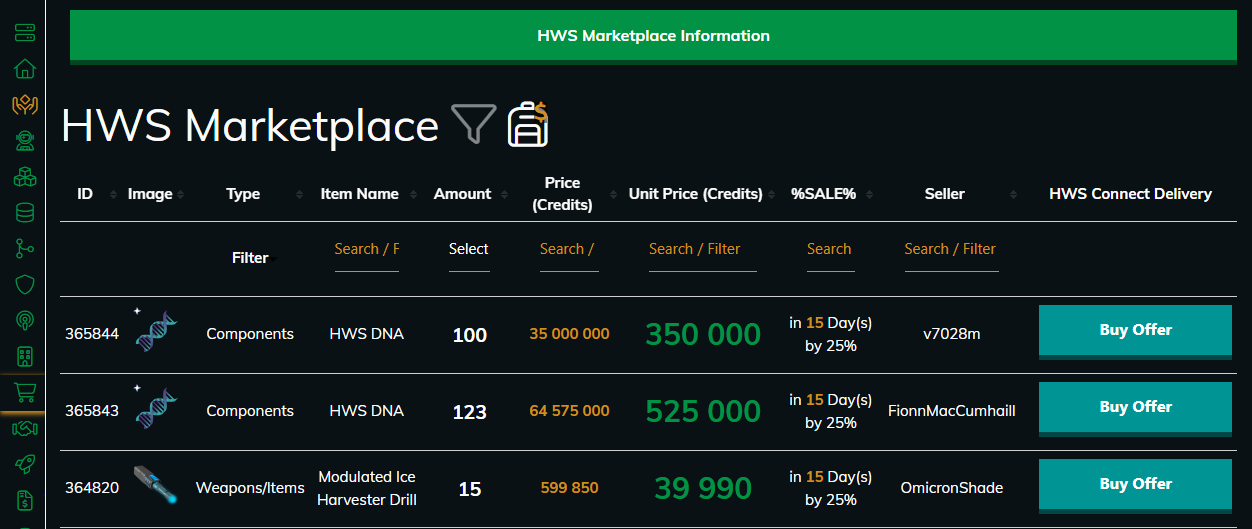
Cross Server Marketplace (Buy) — Master+ Patreon
For standard Buy/Sell listings, Master+ Patreon (Patreon level 5+) can complete a purchase while online on the paired region instead of the server where the offer was listed:
- RE ↔ RN and EU ↔ NA are the pairs.
- You must be online either on the server where the listing exists or on its paired region.
- Credits and delivery use the region where you are actually playing (the “online” region). History entries may show [Cross Server Marketplace] when the listing region and your online region differ.
This does not change fees by itself; zone / EB rules still apply to the character that buys.
Sell
Follow the steps shown in the screenshot:
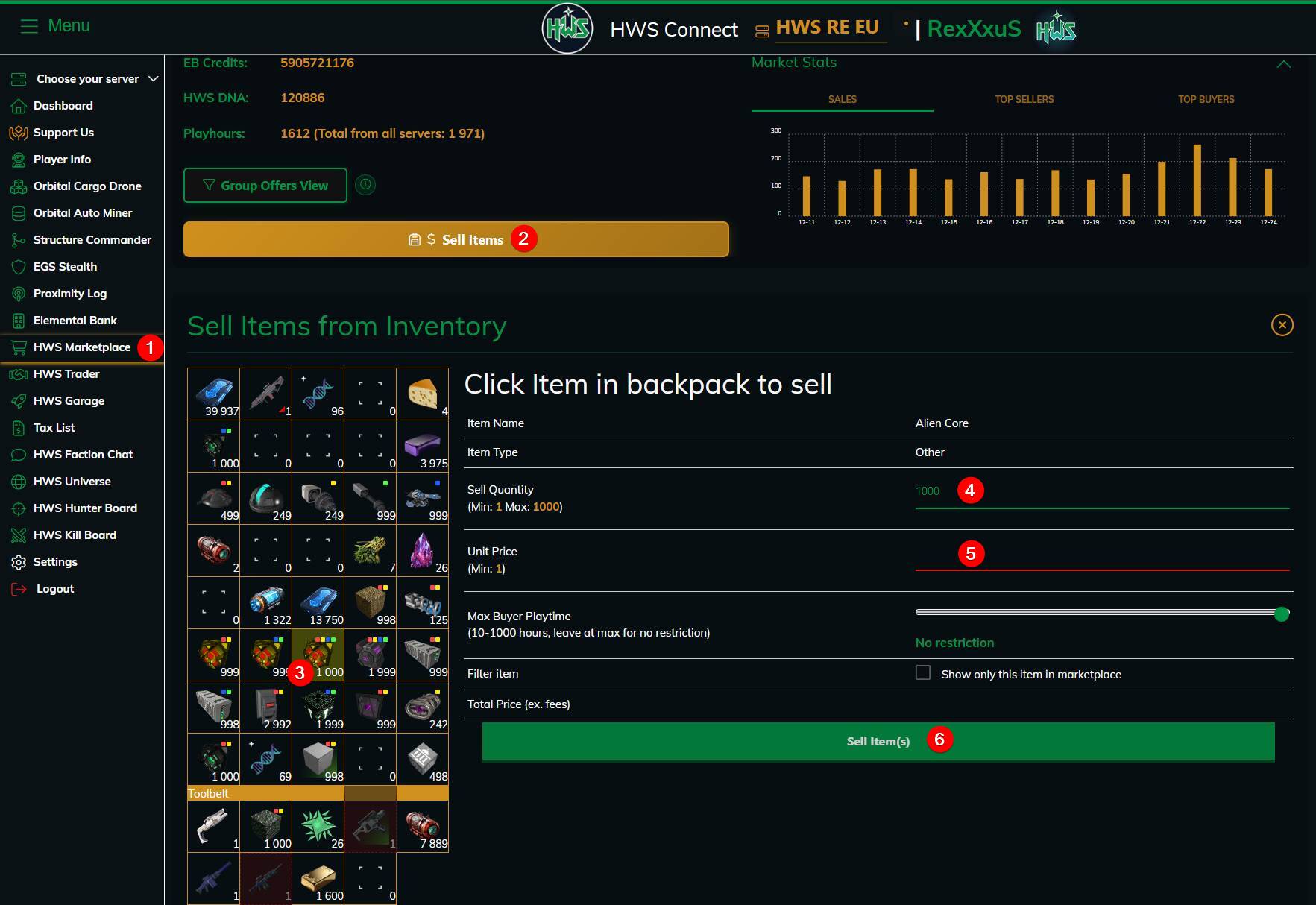
- Click at the yellow Sell Items button
- Select an item in your backpack/toolbar to sell
- Set the quantity
- Set the unit price
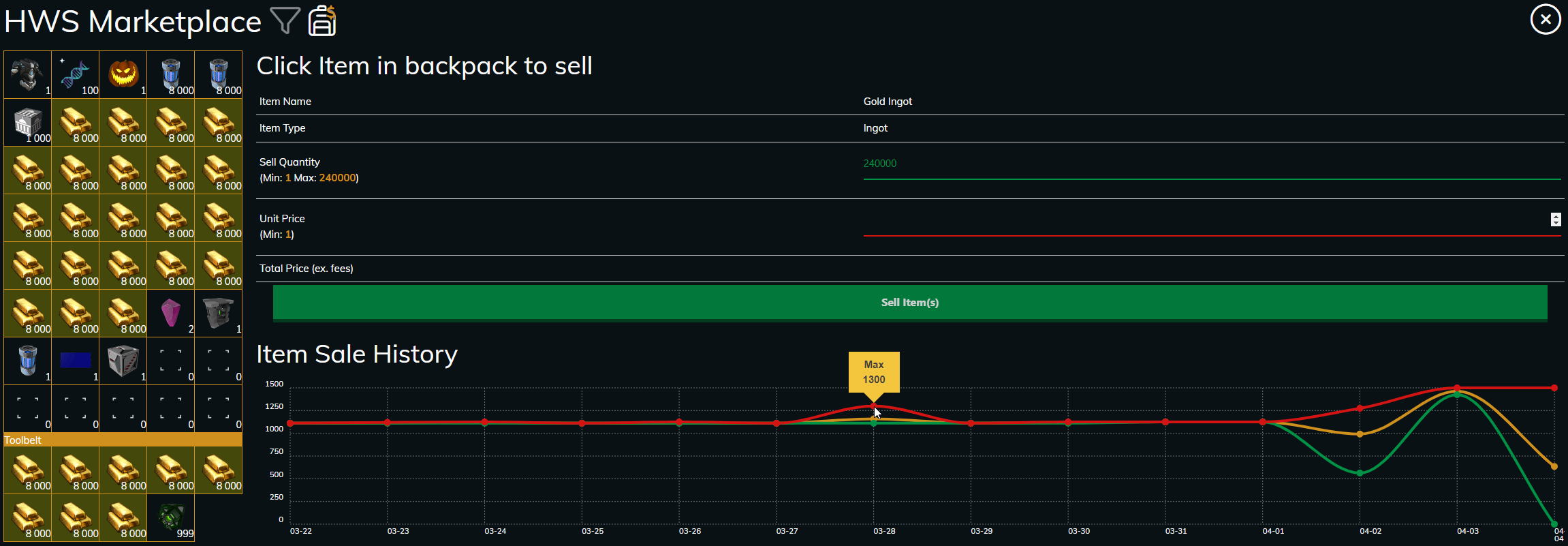
- Click the Sell Item(s) button (Pro tip: you get as Patreon an item sale history and trade volume chart for that item to judge competitive prices fory our sales)
- Optionally you can also set a Max Buyer Playtime value, so only these players can buy your items (beginner friendly feature)
 Integration Rules
To use the Marketplace most effectively, consider the following zone-based rules:
- Selling items for free requires being inside an HWS Marketplace Zone.
Selling outside the zone is possible but incurs a fee. - Buying items for free also requires being inside an HWS Marketplace Zone.
Buying outside the zone includes a fee. - Canceling an order is only possible inside a Marketplace Zone — and even then, it includes a fee.
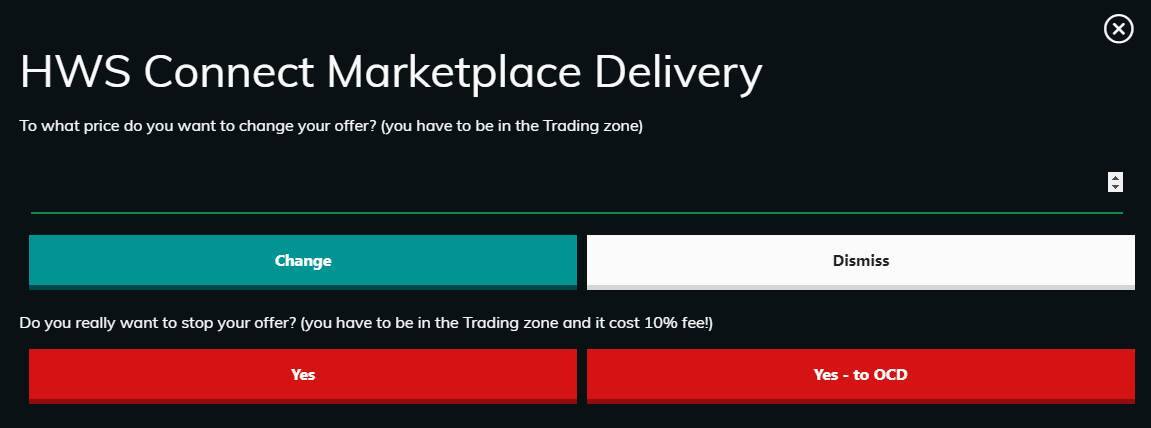
- Changing the price of an active order is free inside the zone, but costs credits if done from outside and if done too many times, see below:
Price Change Rules
Inside Marketplace Zones
- First change: free
- After that: costs increase step by step (2%, 3%, 4%, … N% credits + (N − 10) HWS DNA)
Outside Marketplace Zones
- Price changes start with a higher cost ((N × 10)% credits + N HWS DNA)
- Each additional change becomes more expensive
Important Notes
- Resets after successful trade or trade cancelation or after 12 hours without changing the price (6 hours for Dealer Origin)
 Marketplace Fees
| Action | Inside Zone | Outside Zone |
|---|---|---|
| Sell Items | Free | 10% credits + 1 HWS DNA per item |
| Buy Items | Free | 1–10% credits + 1 HWS DNA per 10–100 items (based on your Elemental Bank Level) |
| Cancel Order | 10% credits | 10% credits |
| Change Price | First time Free, then 2%, 3%, 4%, … N% credits + (N − 10) HWS DNA | (N × 10)% credits + N HWS DNA |
After changing an order’s price, you must wait 1 hour before canceling it.
 Patreon Benefits
Supporters of HWS on Patreon receive powerful convenience features depending on their tier:
-
Retrieve stopped Marketplace items directly into your OCD instead of your backpack
-
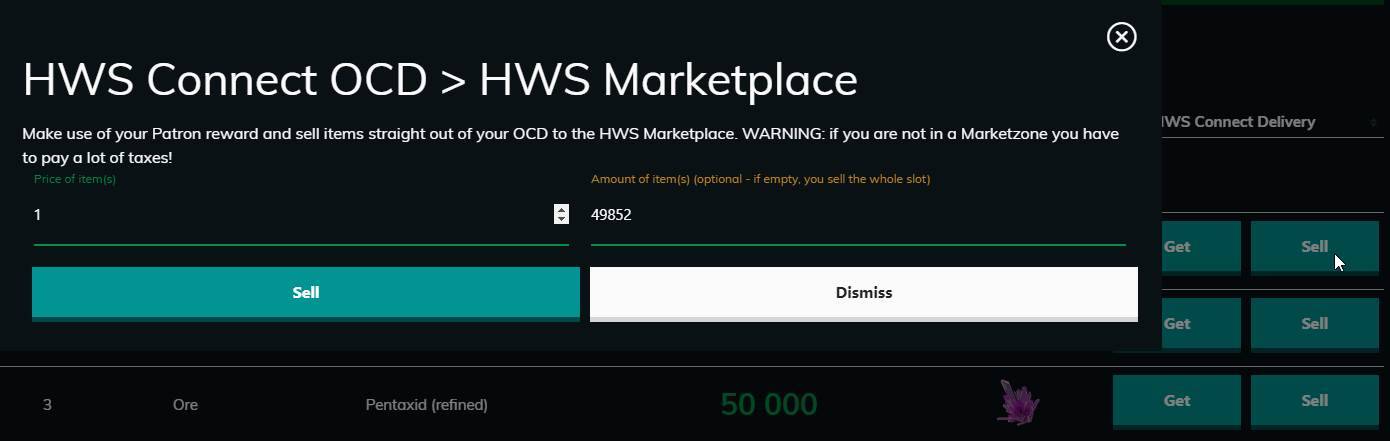
Sell directly from your OCD to the Marketplace
-
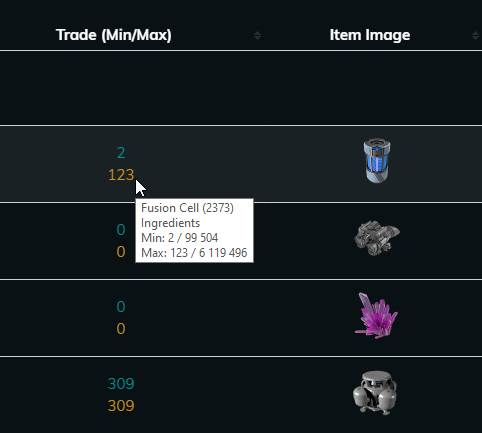
View Marketplace prices directly in your OCD and the item price history
-
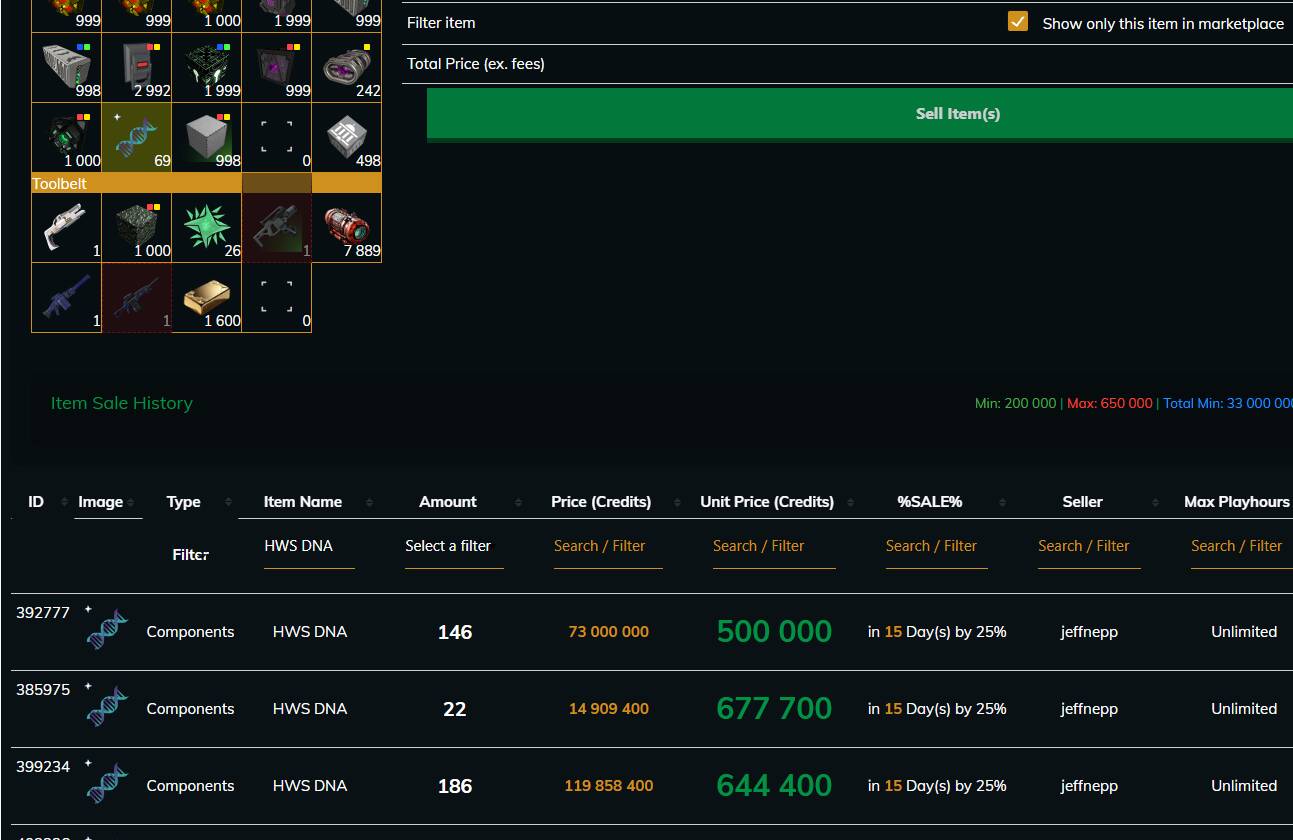
Show only the select item in the Marketplace Table with this checkbox
-
Use filters to quickly find what you need (also available to Dealer Origin, EB Level 5+, or with a Master Origin Package)
-
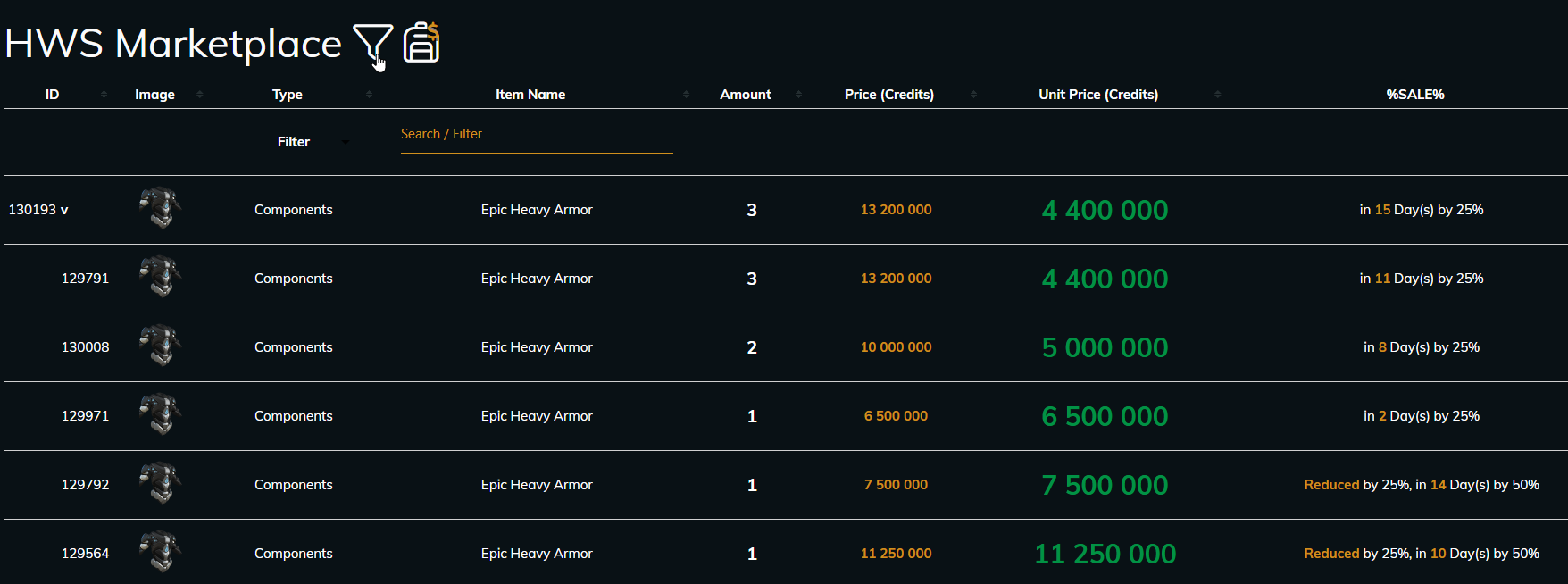
Enable compact offer view — see grouped items and lowest prices first
-
View item price history of any item before selling


 Become a Patron: https://www.patreon.com/hws
Thank you for supporting the HWS project!
 Where to Access the HWS Marketplace
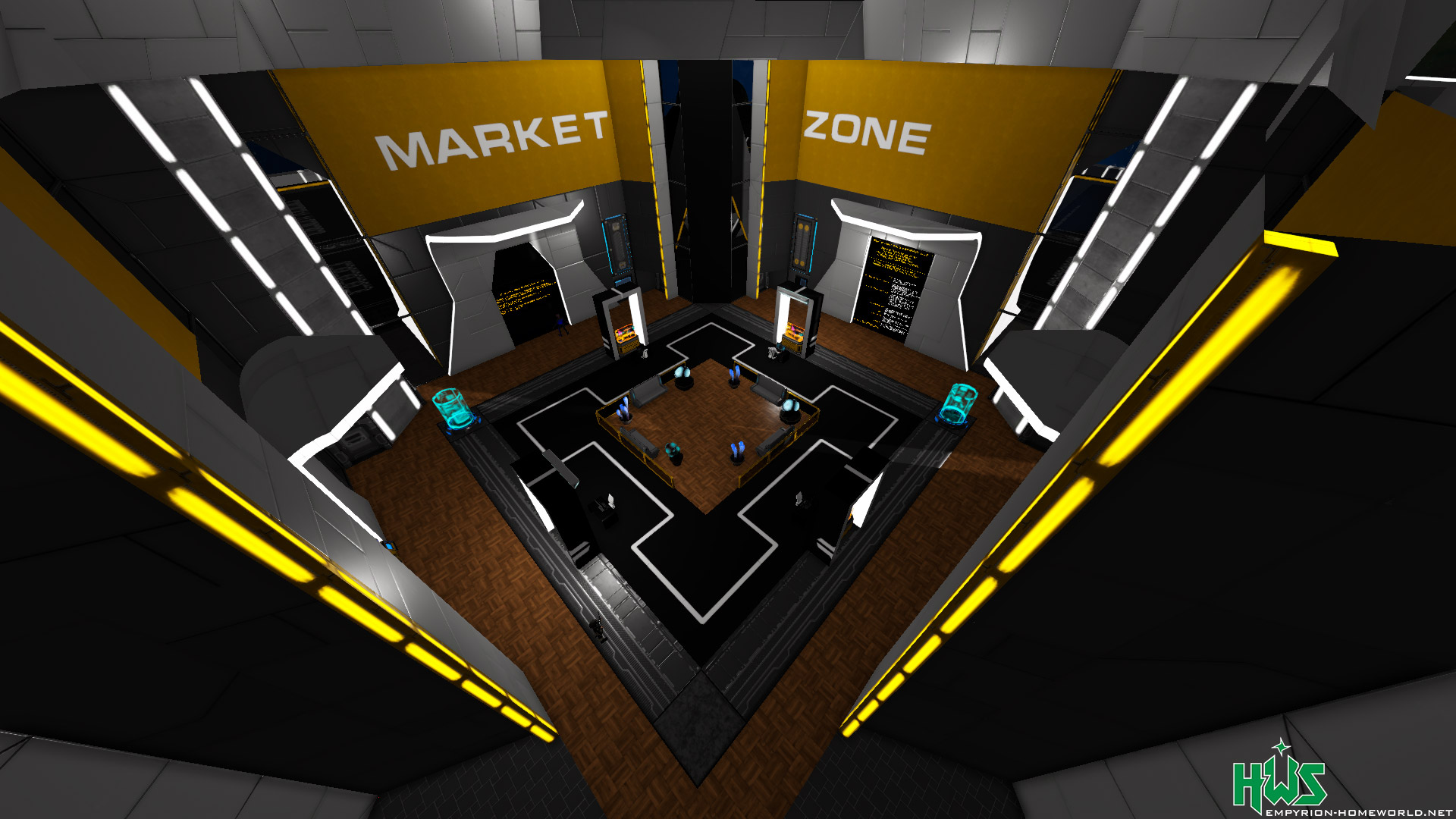
You must physically be in a Marketplace Zone to enjoy the full features. Here’s where to find them:
-
ECC Planet → Elemental Galactic Services HQ POI > Market Zone
-
ECC Sector → HWS Racom Trading Zone
-
You can also buy your own Marketplace Zone here
 HWS Sale Discounts (Auto Price Drop)
To prevent overpriced items from clogging the marketplace, HWS implements automatic price drops:
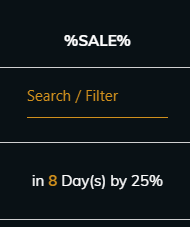
- After 15 days: -25%
- After 30 days: -50% (of the 15-day value)
- After 60 days: -75% (of the 30-day value)
This ensures older items become more attractive over time.
 Full Wipe Warning
Before a full server wipe:
ALL Marketplace offers will be deleted!
Make sure to retrieve all items from the Marketplace via HWS Connect in advance.
 HWS Connect Marketplace – Smart Price System 2.0
The HWS Connect Marketplace or rather EAH just got a major upgrade!
We’ve replaced the old static price system (based on BlocksConfig.ecf) with a dynamic economy powered by real market data from the HWS Marketplace — and now directly connected to the EAH tool through our new API endpoints.
This makes the HWS Marketplace the most advanced and competitive player-driven economy in Empyrion 
 How it works
1. Real trade data (last 21 days)
The system analyzes actual player-to-player sales from the past 21 days — not listings, but completed trades.
2. Self-trades are ignored
Selling to yourself no longer affects the market price.
3. Outlier protection
Extreme prices (like 1 Cr or 10 million Cr) are automatically filtered out.
In technical terms, it uses IQR filtering — but simply said:
Only the middle, realistic price range counts.
4. Weighted average
Large-volume trades have more influence than small ones.
For example, if 500 Quantum Processors sold at 240 000 Cr and one at 200 000 Cr,
the final market price will be much closer to 240 000 Cr.
5. The result: MCP – Market Consensus Price
The MCP is the fair, volume-weighted price after all filtering steps.
It’s the value now used by several key game systems through the EAH integration.
 Example
Over the last 7 days, Quantum Processors were sold:
-
1× at 200 000 Cr
-
10× at 240 000 Cr
-
1× at 250 000 Cr
-
1× at 10 000 Cr (ignored as an outlier)
After filtering and weighting, the Market Consensus Price (MCP) ends up around 243 000 Cr — a fair reflection of the true market activity.
 What this affects in-game
This new system directly impacts several features that depend on item values:
-
ts:sellcredits:id → When you sell a ship to the system, the payout is now based on the real market MCP of its components, not outdated static prices.
-
egs:insurance:claim:id → When you recover an insured structure, the claim value is now calculated using the current market prices of the items it contains.
Note: the results from the EAH API are cached but the first time a fetch is being made, it can take a bit to get the price etc. Please be patient.
This means your ship and insurance values now reflect what items are actually worth on the HWS Marketplace — making the economy more fair, realistic, and dynamic.
 Behind the scenes
The new system runs through two new HWS Connect API endpoints used by the EAH tool:
stats=itemSales → 14-day sales history with daily volume and weighted averages.
stats=itemMCP → 7-day robust weighted market consensus price with outlier filtering.
These endpoints calculate prices purely from real trade data, automatically ignore self-trades, and apply statistical filters to ensure stable, manipulation-resistant values.
 TL;DR
TL;DR
The HWS Connect Marketplace now powers all ship sell and insurance values using real player trade data, weighted averages, and smart outlier filtering.
No more outdated configs — just a living, fair, player-driven economy.
HWS Marketplace Wanted (BUY Orders)
Wanted Orders let you post a BUY request, so other players can fulfill your demand directly from their backpack.
This guide covers all current rules and bonuses (EB Level, Origins, Patreon), plus fees and edge cases.
What is a Wanted Order?
A Wanted Order is a BUY request:
- You choose item, amount, and unit price
- Credits are reserved from your EB
- Other players fulfill your request
- You claim fulfilled items (or refund unfulfilled part when order ends)
Browsing Wanted (UI)
- You can view Wanted listings for both servers in a pair together (e.g. RE + RN or EU + NA), similar to a combined Buy/Sell view.
- Use the Server filter in the table (multi-select) to narrow rows to one or both servers in the pair — same idea as on Buy/Sell.
Basic Requirements
All main Wanted actions are online-only (strict mode, consistent with Marketplace, some exceptions for Fighter Origin)
You must also be in an allowed playfield for fulfill/claim/finalize (special/event-disabled playfields are blocked).
Cross Server Marketplace (Wanted — manual fulfill only)
Master+ Patreon (level 5+) can manually fulfill a Wanted order while online on the paired region if they are not online on the order’s home region:
- Pairs: RE ↔ RN, EU ↔ NA.
- You must be online on the order’s region or its paired region.
- Items are taken from and credits are paid on the region where you are actually playing; notifications may show [Cross Server Marketplace].
Important: AMM does not support cross-server. Automated matching only considers sell listings on the same region as the Wanted order. Cross-pair behavior applies to manual fulfill (and to Buy on normal listings), not to AMM.
Core Progression Layer 1: EB Level (Baseline for everyone)
This is the base progression for all players:
- EB Level 1: max 1 active Wanted Order | max lifespan 1 day
- EB Level 2: max 2 active Wanted Orders | max lifespan 2 days
- EB Level 3: max 3 active Wanted Orders | max lifespan 3 days
- EB Level 4: max 4 active Wanted Orders | max lifespan 4 days
- EB Level 5: max 5 active Wanted Orders | max lifespan 5 days
- EB Level 6: max 6 active Wanted Orders | max lifespan 6 days
- EB Level 7: max 7 active Wanted Orders | max lifespan 7 days
- EB Level 8: max 8 active Wanted Orders | max lifespan 8 days
- EB Level 9: max 9 active Wanted Orders | max lifespan 9 days
- EB Level 10: max 10 active Wanted Orders | max lifespan 10 days
Important:
- EB progression is the baseline
- Origin/Patreon bonuses are cumulative on top
Core Progression Layer 2: Origin Benefits
Dealer Origin
- Wanted Orders are subtly highlighted in listings (slow pulsing golden border)
- 10% less fee (any Wanted-related fee)
- +2 active Wanted Orders on top of EB baseline (cumulative)
Fighter Origin
- Fulfilling combat-related items grants +10% credit bonus payout on top
(ammo, weapons, turrets, guns; manual fulfill path, not AMM. To prevent abuse, only unique steam ids are counted towards each order, it is capped by once per day and outlier orders above 10% average are ignored) - Can create/edit Wanted Orders in PvP
- Claiming still only in PvE
Explorer Origin
- Progression reward for completed 100% fulfilled orders:
- Every 5th successful completed order grants 10 HWS DNA
- Anti-exploit rule:
- Those 5 orders must be fulfilled by 5 different players each cycle and it resets with each season. So basically every order must be fulfilled by unique players
Engineer Origin
- Same anti-exploit progression rule as Explorer:
- Every 5th valid completed order (5 different fulfillers) rewards 10x HWS Star Dust (item to inventory)
- Convenience feature:
- When an order ends and you claim/refund, you get prompt:
- Re-list same order? Yes / No
- If Yes, same item/quantity/unit price is listed again
- When an order ends and you claim/refund, you get prompt:
Core Progression Layer 3: Patreon Benefits
Elite+ gets:
- +2 active Wanted Orders (cumulative with EB + Dealer bonus)
- Same subtle highlight border in listings as Dealers
- Same convenience re-list feature as Engineers (for completed/ended orders)
Master+ gets:
- AMM (Automated Market Maker)
If enabled (Master+ Patreon), Wanted orders can auto-match against compatible sell offers on the same server.
AMM behavior (summary):
- Same server only: matches only against Sell offers listed on the same region as the Wanted order (not the paired server).
- Pricing: uses effective unit price including HWS sale discounts so it matches what players see in Buy/Sell.
- Matching: prefers cheapest eligible sell offers up to your max unit price; server keeps the spread between your max and the seller’s effective price as a fee.
- Events: runs when relevant (e.g. new Wanted with AMM enabled, new Sell listing, periodic pass for the region).
- Delivery is still claim-based like normal Wanted (not instant backpack injection from AMM alone).
Marketplace History
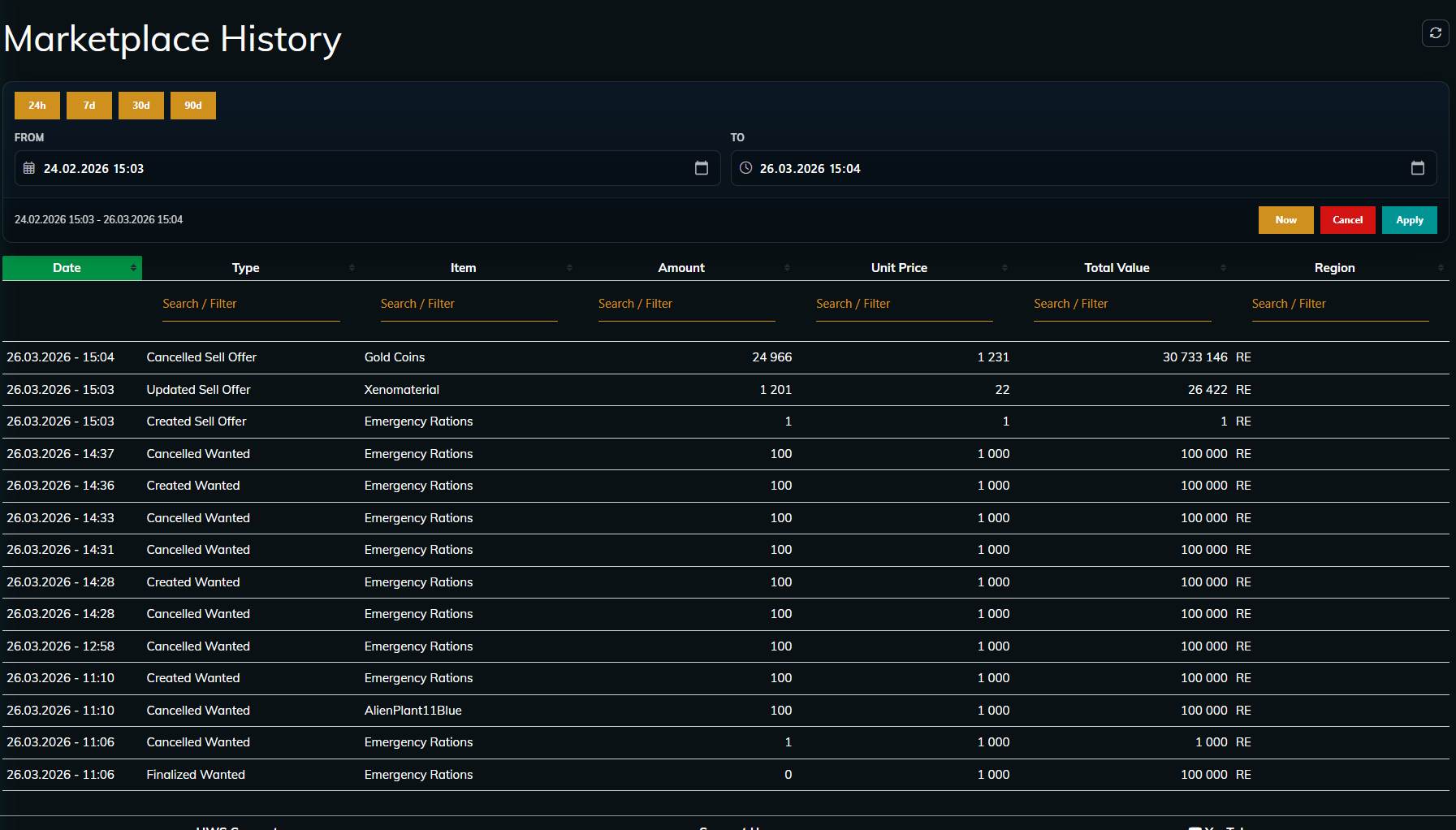
What is Marketplace History?
Marketplace History is your personal trading journal for all Marketplace activity across Buy/Sell and Wanted, a convenience feature so you do not have to track it manually.
It helps you track:
- what you sold/bought
- what wanted orders you created/fulfilled/claimed/cancelled/finalized
- exact prices and totals
- which region each action happened in
- when it happened
Who can access it?
Marketplace History is an Elite+ Patron feature.
- Elite+ Patrons: full access to their complete history table
- Non-Elite+ users: info panel explaining the feature and how to unlock it by becoming Elite+